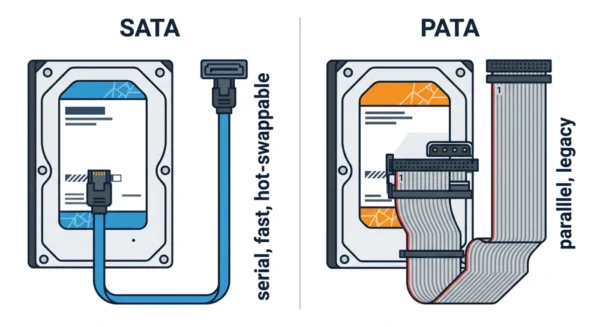
SATA (Serial ATA) sends data one bit at a time over a thin cable, so it is fast, hot-swappable, and standard in modern computers. PATA (Parallel ATA) sends many bits at once over a wide ribbon cable, so it is slower and now mostly legacy. In short, SATA is the modern serial interface, while PATA is the older parallel one it replaced.
SATA and PATA are two interfaces that connect storage drives, such as hard disks and optical drives, to a computer. Both appear in computer-organisation and hardware courses, so students need to know why the industry moved from one to the other.
The names give away the core difference: serial versus parallel signalling. Yet they also differ in speed, cables, power, and features like hot-swapping. This guide defines each interface, compares them in detail, and shows where each one still fits.
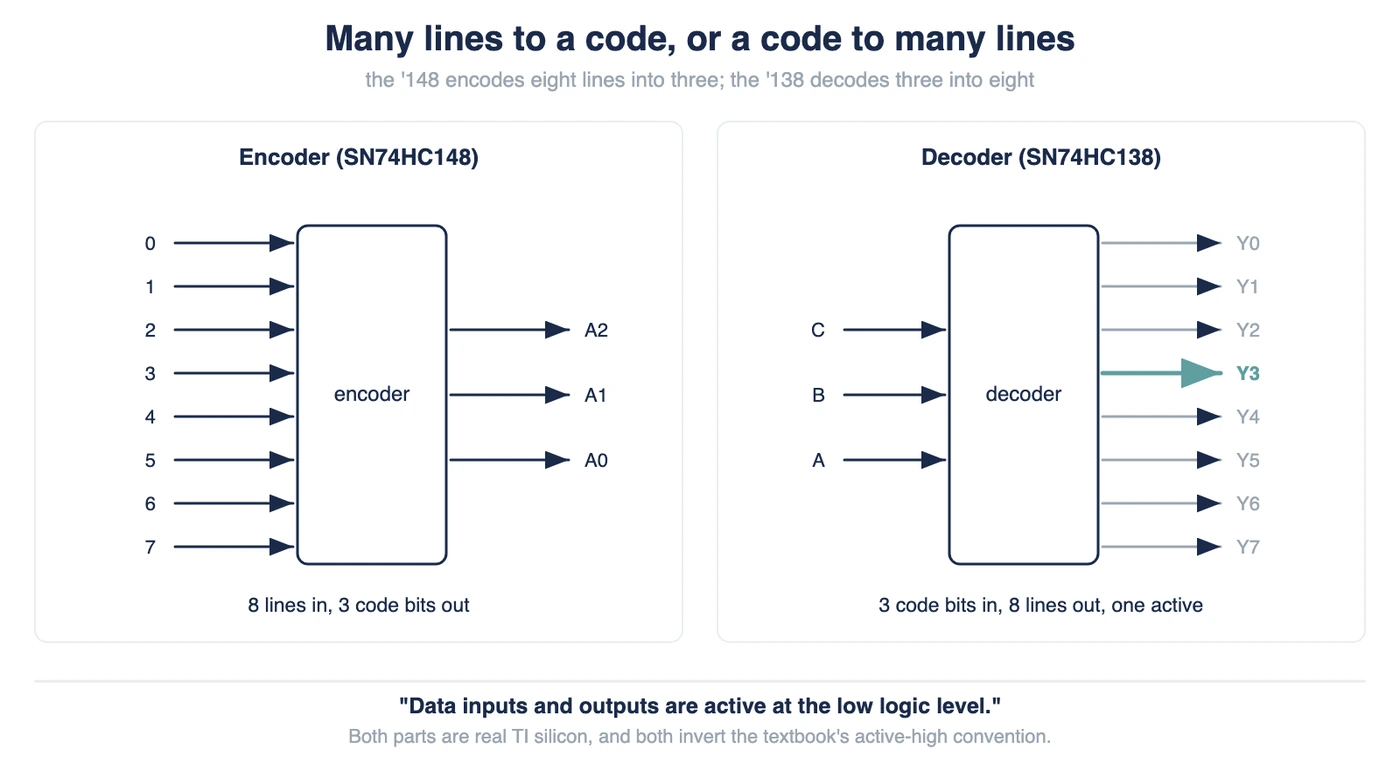
They are storage interfaces, so it also helps to know the related SCSI vs IDE comparison.
What is SATA?
SATA stands for Serial ATA (Serial Advanced Technology Attachment). As the name says, it sends data serially, one bit at a time at a very high rate, over a thin seven-pin cable. Because that design is fast and tidy, SATA became the industry standard for connecting modern drives.
SATA also brings useful features. For example, it is hot-swappable, so you can connect or remove a drive while the system runs. Its three generations climb in speed: SATA I reaches about 150 MB/s, SATA II about 300 MB/s, and SATA III about 600 MB/s.
Advantages of SATA:
- Faster transfer rates, up to about 600 MB/s on SATA III.
- Thin, flexible cables that improve airflow and tidiness.
- Hot-swappable, and supports Native Command Queuing (NCQ).
Disadvantages of SATA:
- One device per port, so it needs more ports for many drives.
- Newer than PATA, so very old systems may not support it.
What is PATA?
PATA stands for Parallel ATA (Parallel Advanced Technology Attachment), and it was once the standard drive interface, often called IDE. It sends data in parallel, many bits at once, over a wide 40-pin ribbon cable. However, parallel signalling is hard to push to high speeds, so PATA topped out at about 133 MB/s.
Because SATA has largely replaced it, PATA now mostly serves legacy systems. Even so, its design has real limits: the wide ribbon cable blocks airflow, and one cable carries at most two drives set as master and slave.
Advantages of PATA:
- Backward compatible, so it suits older systems and devices.
- Two drives per channel on a single cable.
- Cheap and widely available during its era.
Disadvantages of PATA:
- Slower, capped near 133 MB/s.
- Wide ribbon cables that hurt airflow and cable management.
- Not hot-swappable, and limited cable length.
SATA vs PATA: Comparison Table
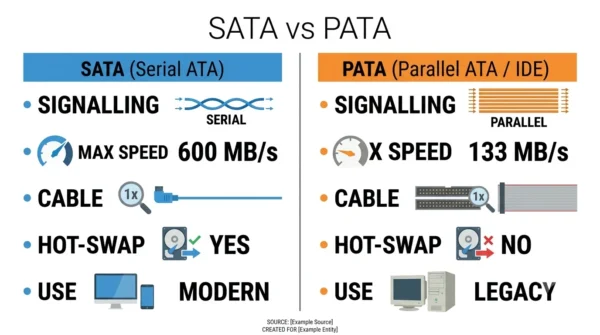
| Aspect | SATA | PATA |
|---|---|---|
| Full form | Serial ATA | Parallel ATA (IDE) |
| Signalling | Serial (one bit at a time) | Parallel (many bits at once) |
| Max data rate | Up to 600 MB/s (SATA III) | Up to 133 MB/s (ATA-133) |
| Data cable | Thin 7-pin cable | Wide 40-pin, 40/80-wire ribbon |
| Cable length | Up to about 1 m | Up to about 46 cm (18 in) |
| Power connector | 15-pin | 4-pin Molex |
| Signalling voltage | Low differential (about 400–600 mV) | 5 V (single-ended) |
| Devices per channel | One per port (point-to-point) | Up to two (master/slave) |
| Hot-swappable | Yes (with AHCI) | No |
| Command queuing | Supports NCQ | No NCQ |
| External interface | eSATA available | None standard |
| Introduced | Around 2003 | Around 1986 (as ATA/IDE) |
| Use today | Standard in modern systems | Legacy and older systems |
| Airflow / management | Good (thin cables) | Poor (bulky ribbon) |
Why SATA Replaced PATA
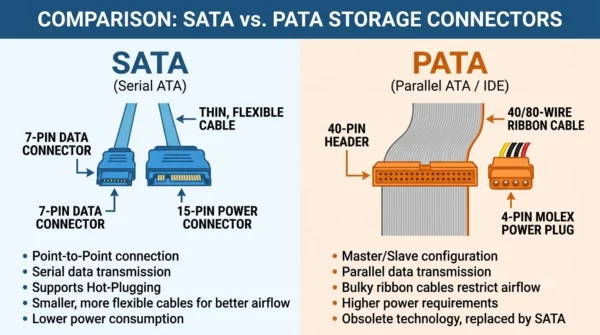
It may seem odd that serial beat parallel, since parallel moves many bits at once. The catch is timing: at high speeds, the parallel wires fall out of step, which limits how fast PATA can run. So a single fast serial line scales better than many slower parallel ones.
SATA won on several fronts at once. For instance, its thin cables improved airflow, its point-to-point links removed master/slave jumpers, and hot-swap plus NCQ made it friendlier for modern drives. As a result, SATA quickly became the default, and PATA faded to legacy use.
When PATA Still Fits
PATA has not vanished entirely. It still suits older systems that have no SATA ports, or repair work on legacy hardware. So a PATA drive remains handy when you maintain an aged machine or recover data from an old disk.
For any new build, though, SATA is the clear choice. If you must connect an old PATA drive to a modern board, a PATA-to-SATA adapter bridges the two. Otherwise, modern systems assume SATA, or faster interfaces like NVMe, throughout.
Frequently Asked Questions
Wrapping Up
SATA and PATA both connect drives, yet they sit a generation apart. SATA uses fast serial signalling, thin cables, and hot-swap support, while PATA uses older parallel signalling over a wide ribbon cable.
Remember the simple rule: SATA for any modern system, and PATA only for legacy hardware. Because serial signalling scales so much better, SATA replaced PATA and remains the standard drive interface today, alongside faster NVMe.
Related reading on DiffStudy: